Colors
Every room uses one palette of three colours. Colors shows the palette of the room in front in Room.
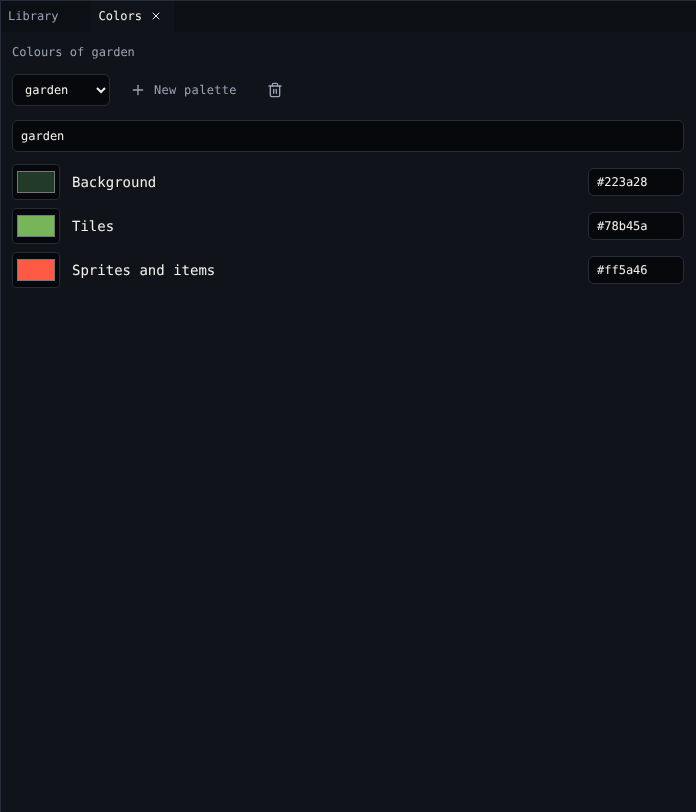
The three colours
| Colour | Used for |
|---|---|
| Background | Empty cells, and the off pixels of every drawing |
| Tiles | The on pixels of tiles |
| Sprites and items | The on pixels of the avatar, sprites and items |
Click a swatch to choose a colour, or type a hex code like #ff5a46. The text box under the game uses black and white, not the palette.
Palettes
| Control | Does |
|---|---|
| Palette menu | Chooses the palette this room uses |
| New palette | Copies this room's palette and gives the copy to this room |
| Delete palette | Deletes it. Rooms that used it take another palette. A game keeps at least one. |
| Name | The palette's name in menus |
Dialog can change the palette while the game runs, with Change the palette ({pal "1"}). See Dialog scripting.
Tips
- Keep enough contrast between Background and the other two, or drawings disappear.
- The text box always uses its own colours, so dark palettes are fine.
- Text effects
{clr1},{clr2}and{clr3}colour words with the room's background, tile and sprite colours.
Related
- 1. Rooms and 5. Exits and endings in the tutorial