4. Dialog
Dialog is what sprites and items say. It can be plain text, or a small script that changes with what the player has done. In this step the gardener asks for his chilis, and gives you the key when you bring all three.
Write plain text first
- Pick the gardener in Library and open Dialog. It shows his dialog, cat dialog, with Said by gardener above it.
- Rename it
gardener dialog. - Replace the text with
Hello! I lost my chilis somewhere in the garden.
Long text is split into pages for you. The player presses a button to go on. Start a new page yourself with {pg}, or Insert… → New page.
Build it from blocks
Choose Blocks at the top of Dialog. The same dialog shows as blocks you add, move and remove with buttons, no typing of code.
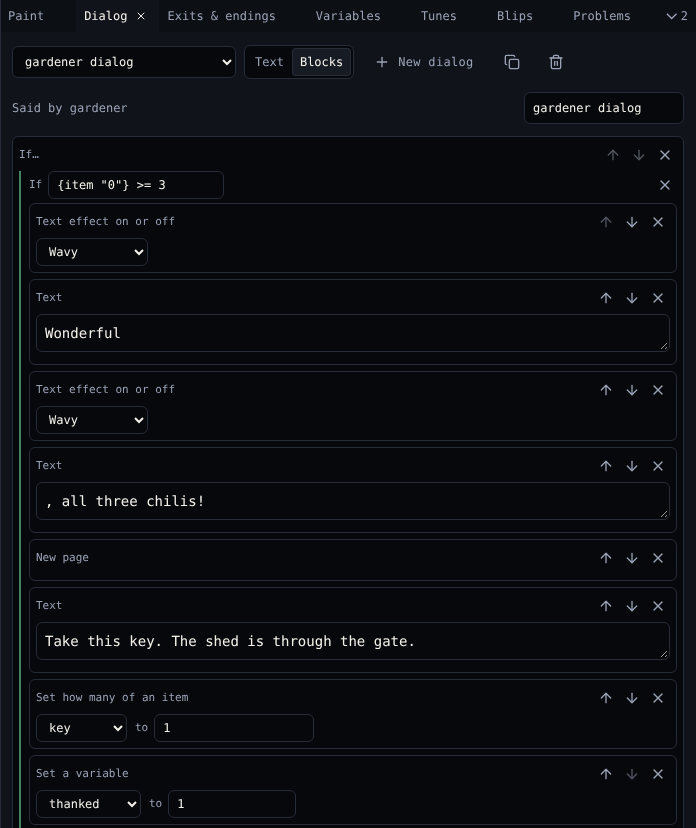
Make the gardener answer two ways:
- Add If the player has an item. It checks an item count and has two branches: one when the check is true, and else.
- In the check, pick chili and change
>= 1to>= 3. - In the first branch, add Text:
Wonderful, all three chilis!Then New page, then Text:Take this key. The shed is through the gate. - Still in the first branch, add Set how many of an item: key to 1. This gives the player the key.
-
In else, add Say lines in order with two lines:
Hello! I lost my chilis somewhere in the garden.Can you find all 3 for me?
The first time you talk he says the first line; every time after, the second.
The same dialog as text
Switch back to Text to see the script behind the blocks. Both views edit the same dialog, so use whichever you like.
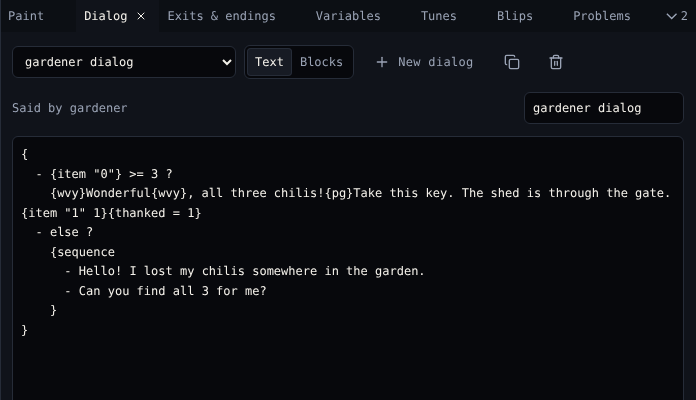
{
  - {item "0"} >= 3 ?
    {wvy}Wonderful{wvy}, all three chilis!{pg}Take this key. The shed is through the gate.{item "1" 1}
  - else ?
    {sequence
      - Hello! I lost my chilis somewhere in the garden.
      - Can you find all 3 for me?
    }
}
{wvy}…{wvy} makes Wonderful wavy: add it with Insert… → Wavy text. Every command is explained in Dialog scripting.
Problems show under the dialog
If a script refers to something that does not exist, like an item you deleted, Dialog lists the problem under the text in amber. The Problems tool lists them for the whole game.
Check it
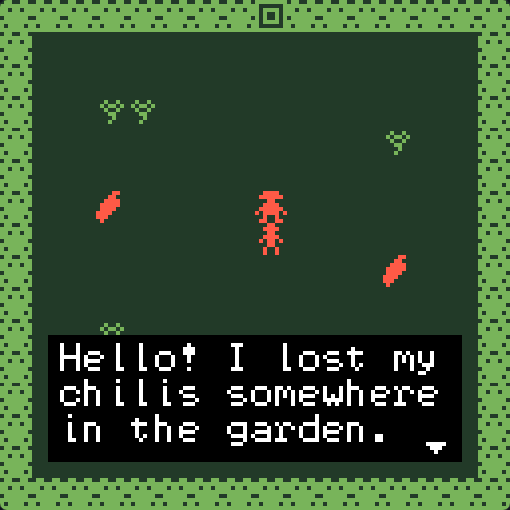
Play the game. Talk to the gardener, collect the chilis, and talk to him again. The Inventory under the game shows key 1 after he thanks you.
Next
5. Exits and endings: the shed behind the gate.