6. Variables
Items count things the avatar carries. Variables remember everything else: whether you met someone, how many times you knocked, the name of a choice. In this step the game remembers that the gardener said thank you.
Make a variable
- Open Variables and choose New variable.
- Name it
thankedand leave it starts at0.
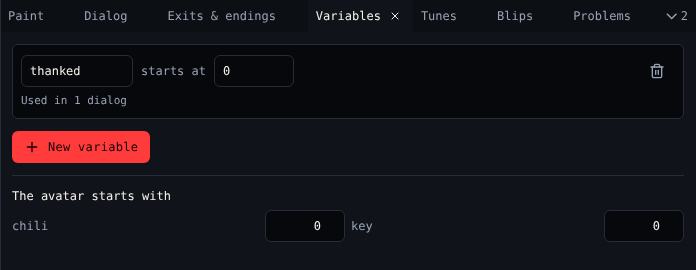
A variable can hold a number or a word. Under each variable the tool says where it is used, like Used in 1 dialog.
Change it from dialog
Open the gardener's dialog in Dialog, Blocks view. In the branch for three chilis, after Set how many of an item, add Set a variable: thanked to 1. In Text view that is {thanked = 1}.
Check it from dialog
Now anything can ask whether the gardener said thank you. For example, an item in the shed could say:
{
  - thanked == 1 ?
    The gardener would love this.
  - else ?
    A dusty jar.
}
Build it with If a variable is… in Blocks.
| Block | Script | Does |
|---|---|---|
| Set a variable | {thanked = 1} |
Puts a value in |
| Change a variable | {thanked = thanked + 1} |
Adds to it |
| Show a variable | {say thanked} |
Prints it in the text |
| If a variable is… | { - thanked == 1 ? … - else ? … } |
Says different things |
Watch it change
Play the game. The Variables table under the game screen shows thanked go from 0 to 1 when the gardener thanks you.
Next
7. Test and release: finish and share the game.