5. Exits and endings
An exit is a cell that takes the avatar to another room. An ending is a cell that shows some text and ends the game. In this step you build the shed, lock the gate, and put the ending inside.
Add the shed
- In Room, choose New room. Name it
shed. -
Open Colors and choose New palette. It starts as a copy of the garden colours and the shed uses it. Name it
shedand pick warm browns:Colour Shed Background #2c1e1eTiles #aa7850Sprites and items #ffd26e -
Draw a
brick walltile (with Wall on) and ashelf, and paint the shed: walls around the edge, a shelf near the top, and a gap in the middle of the bottom wall at 8,15.
Connect the rooms
- Go back to the garden in Room's room menu.
-
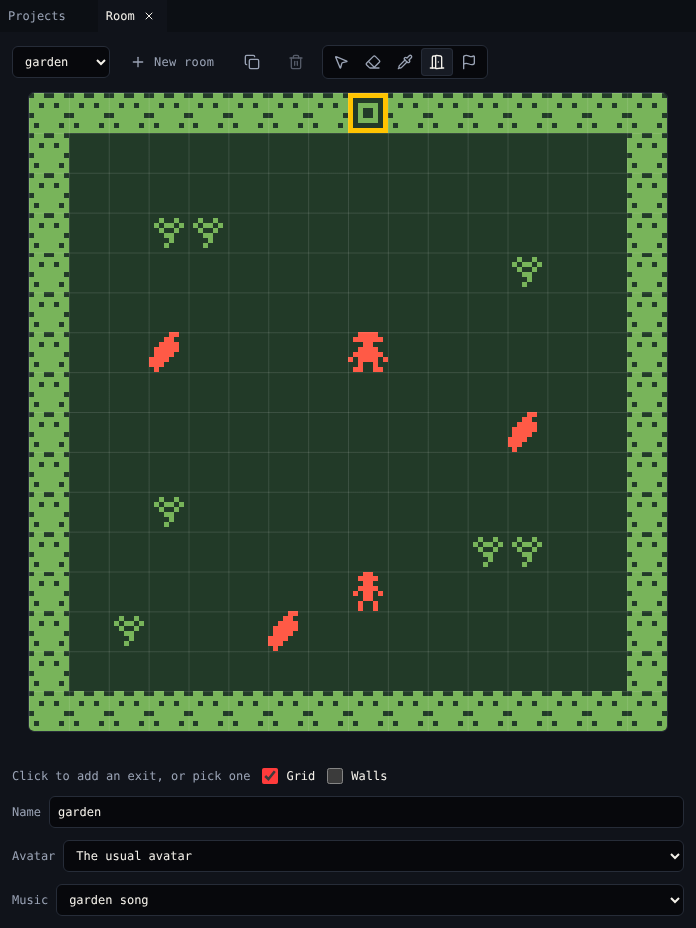
Choose the Exit tool (X) and click the gate at 8,0. An exit appears, and Exits & endings shows it.
-
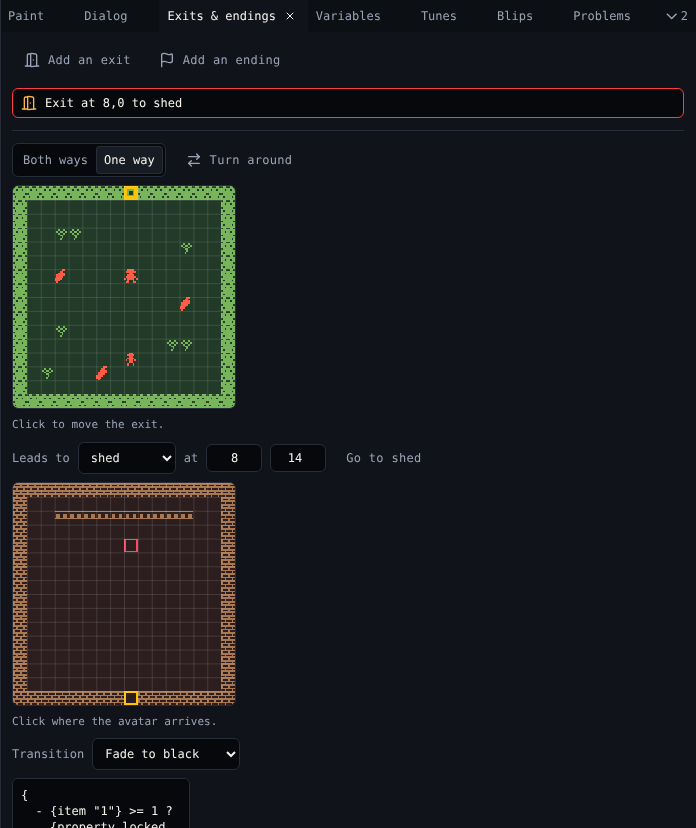
In Exits & endings, set Leads to to shed. Click the small map of the shed where the avatar arrives: 8,14, just inside the gap.
- Choose Both ways. The creator adds the exit back from the shed to the garden for you.
- Set Transition to Fade to black.
Lock the gate
Choose Add a lock. The creator writes a script for the exit that checks for an item called key:
{
  - {item "1"} >= 1 ?
    {property locked false}
    The key opens the gate!
  - else ?
    {property locked true}
    The gate is locked...
}
{property locked true} keeps the avatar out. Change the two lines of text to fit your game. Add narration instead writes plain text that shows as the avatar goes through.
End the game
- Go to the shed. Choose the Ending tool (N) in Room and click 8,4, under the shelf.
-
In Exits & endings, write the ending text:
{rbw}You found the golden chili seed.{rbw} Thanks for playing!
The game ends after this text. On the next button press it starts again from the title, like in Bitsy.
Check it
Play the game. Without the key the gate says The gate is locked...; with it, the screen fades to the shed. Walk to the ending.
| Want | Use |
|---|---|
| An exit only one way | One way, then Turn around to swap its ends |
| Send the avatar somewhere from dialog | Go to a room in Dialog ({exit "1" 8 8}) |
| End the game from dialog | End the game in Dialog ({end}) |
| A door that opens after a quest, not a key | Edit the exit script to check a variable |
Next
6. Variables: remember what happened.