Paint
Paint draws the tile, sprite or item you picked in Library or with Pick in Room. Every drawing is 8×8 pixels.
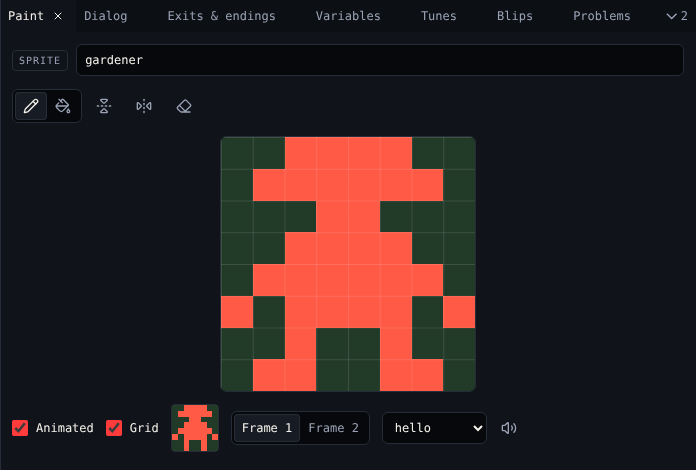
Draw
| Control | Key | Does |
|---|---|---|
| Pencil | B | Click a pixel to turn it on, or off if it is on. Drag to keep going. |
| Fill | F | Fills the area you click |
| Flip left to right | Mirrors the frame | |
| Flip upside down | Turns the frame over | |
| Clear | Empties the frame | |
| Grid | Shows pixel lines | |
| Name | The drawing's name, used in every menu |
A drawing has two colours: on and off. The colours come from the room's palette: tiles use the Tiles colour, sprites and items the Sprites and items colour, and off is the Background. See Colors.
Animate
Tick Animated to give the drawing a second frame. Choose Frame 1 or Frame 2 to draw each. The small preview shows how it moves in the game, swapping frames about every 400 ms. Untick Animated to go back to one frame.
Tiles: walls
Tick Wall on a tile to stop the avatar walking through it. Walls in Room shows which tiles are walls.
Sprites and items: sound
Sound picks the blip the sprite or item plays when the avatar meets it. The speaker button plays it.
What a sprite or item says is in Dialog.
Related
- 2. Avatar and sprites in the tutorial
- Library to add, copy and delete drawings