1. Rooms
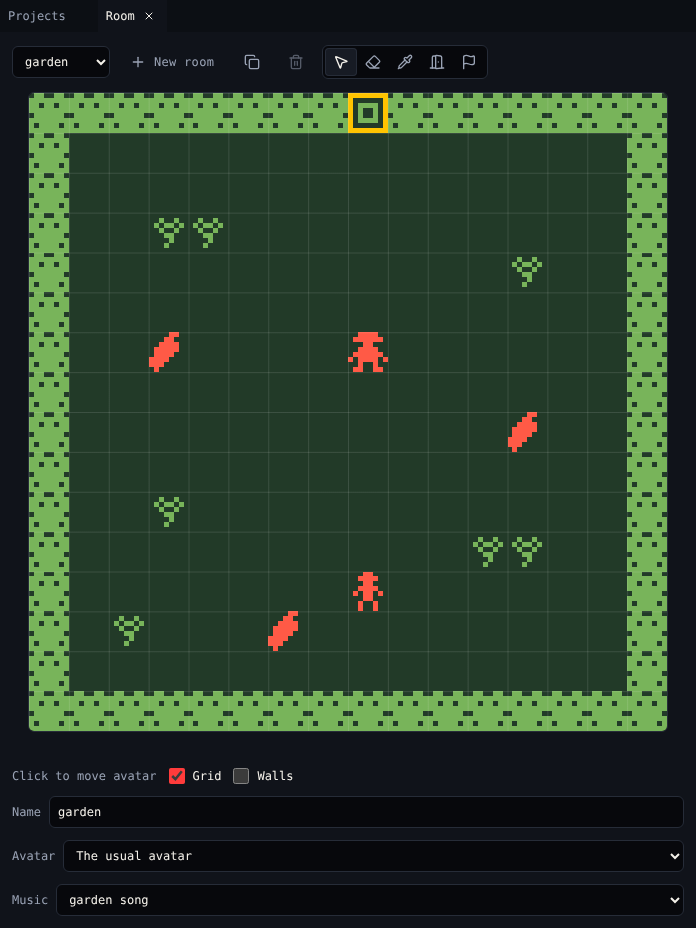
A room is one screen of your game: 16×16 cells, each 8×8 pixels. That is 128×128 pixels, the size of the VGC Zero screen. In this step you make the garden.
Start a new game
- Open Projects and choose New game.
- Click the title Untitled game in the top bar and type
Chili Garden.
A new game already has a room with a wall around it, the avatar, a cat, a cup of tea and a key. You change all of them in the next steps.
Choose the colours
Every room uses a palette of three colours.
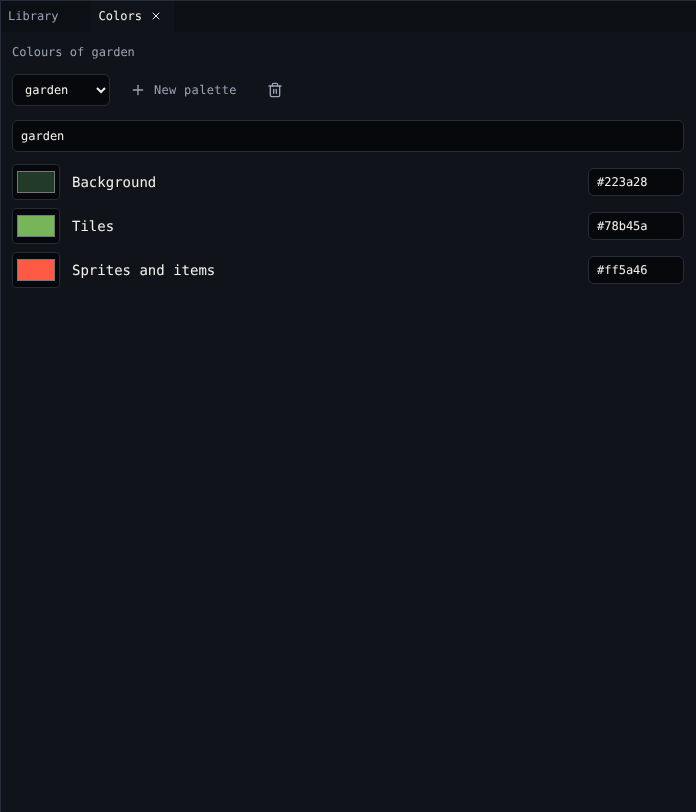
- Open Colors. It shows the colours of the room in front in Room.
- Rename the palette to
garden. -
Set the three colours. Click a swatch to pick, or type a hex code:
Colour Used for Chili Garden Background Empty cells, the inside of drawings #223a28, dark greenTiles Every tile #78b45a, leaf greenSprites and items The avatar, characters and items #ff5a46, chili red
Draw the hedge
The new game has one tile, block. Turn it into a hedge.
- Open Library and choose Tiles. Pick block.
- Paint shows it large. Rename it
hedge. - Draw with the Pencil (B): click a pixel to turn it on, click it again to turn it off. Drag to draw a line. Fill (F) fills an area.
- Tick Wall so the avatar cannot walk through it.
Tip
A tile looks best when its edges match, so it repeats without seams. Try leaving the same pixels on at the left and right edge.
Draw a flower
- In Library, choose New tile. Name it
flowerand draw it. Leave Wall off, so the avatar walks over it. - Make one more tile called
gatefor the opening at the top of the room. Leave it off Wall too.
Paint the room
- Open Room. Rename the room
gardenin Name. - Pick hedge in Library and choose the Place tool (P) in Room.
- Click or drag in the room to paint. The new game's walls are already there; fill any gaps you want.
- Pick gate and click the middle of the top edge, cell 8,0. The cell under the pointer shows at the bottom right of Room.
- Pick flower and dot a few around.
| To | Do |
|---|---|
| Remove a tile | Click it again with the same tile, or use Erase (E) |
| Find out what is on a cell | Pick (I), then click the cell |
| See which tiles are walls | Tick Walls under the room |
| Hide the grid | Untick Grid |
| Undo a stroke | Ctrl+Z |
Check it
Open Play and choose Play game. Walk around with the arrow keys: the hedge stops you, the flowers do not.
Next
2. Avatar and sprites: draw the player and the gardener.