Tutorial: Chili Garden
In seven short steps you build Chili Garden: a gardener has lost three chilis. Find them, get the key to the shed, and open the gate to find what is inside.
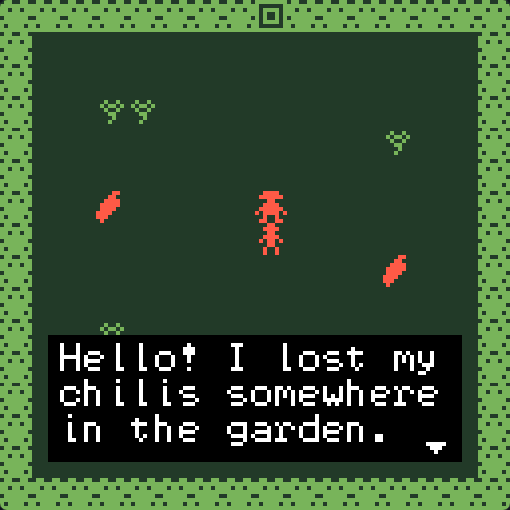
Each step starts where the last one ended and takes about 10 minutes. Read them in order the first time.
| Step | You learn | Tools |
|---|---|---|
| 1. Rooms | Start a game, choose colours, draw tiles and walls | Projects, Colors, Library, Paint, Room |
| 2. Avatar and sprites | Draw the avatar and a character, animate it, give it a sound | Paint, Library, Room |
| 3. Items | Draw items and scatter them for the player to find | Library, Paint, Room |
| 4. Dialog | Make the gardener talk, and answer differently once you have the chilis | Dialog |
| 5. Exits and endings | Add a second room, a locked gate and an ending | Room, Exits & endings, Colors |
| 6. Variables | Remember that the gardener said thank you | Variables, Dialog |
| 7. Test and release | Play it through, fix problems, release it and play it on VGC Zero | Problems, Play, Download, Projects |
The game you will make
flowchart LR
  Start([Start in the garden]) --> Gardener{Talk to the gardener}
  Gardener -- fewer than 3 chilis --> Search[Find chilis in the garden]
  Search --> Gardener
  Gardener -- 3 chilis --> Key[Get the key]
  Key --> Gate{Gate}
  Gate -- no key --> Locked[The gate is locked...]
  Gate -- key --> Shed[The shed]
  Shed --> End([Ending: the golden chili seed])
Download the finished game
Stuck, or want to look ahead? Download chili-garden.bitsy and open it with Import in Projects. It is the game every screenshot in these docs shows.
Before you start
You need a Chili Platform account with a verified email. See Open the creator.