7. Test and release
Your game is done. In this last step you check it, play it from start to end, release it so people can buy or download it, and play it on the handheld.
flowchart LR
  A[Check Problems] --> B[Play it through]
  B --> C[Set a cover]
  C --> D[Release]
  D --> E[List on the marketplace]
  D --> F[Play on VGC Zero]
  B -- later edits --> G[Publish update]
Check for problems
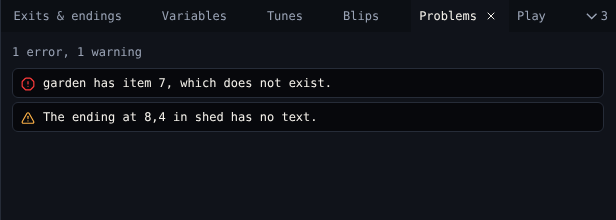
Open Problems. It lists anything that would stop the game working as you meant: a missing palette, an exit off the room, an ending with no text. Click a problem to jump to it. The footer shows the count all the time, and says No problems when there are none.
Play it through
Open Play and choose Play game. It runs citsy, the same engine that runs on VGC Zero, so what you see is what the handheld shows.
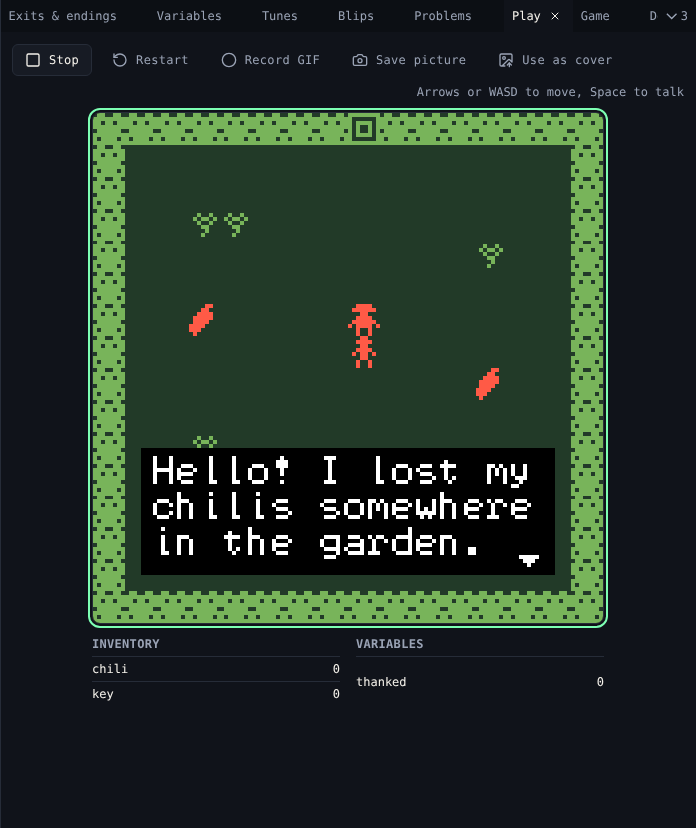
| Action | Keyboard | Phone | VGC Zero |
|---|---|---|---|
| Walk | Arrow keys or W A S D | On-screen arrows | D-pad |
| Talk, next page | Space, Enter, Z or X | Ok | A |
- Walk into every sprite, pick up every item, go through every exit and reach every ending.
- Watch Inventory and Variables under the screen.
- Restart starts again from the title.
Make a cover and a GIF
While the game plays:
- Use as cover shows the current frame with your game on the platform.
- Save picture downloads the frame as a PNG.
- Record GIF records up to 30 seconds. Stop recording downloads the GIF.
Keep a copy
Download gives you the .bitsy file, or one web page that plays the game anywhere, for example on itch.io.
Release it
A project cannot be sold. Releasing makes it a game.
- Open Projects and choose Release on Chili Garden.
- Read the note and choose Release it.
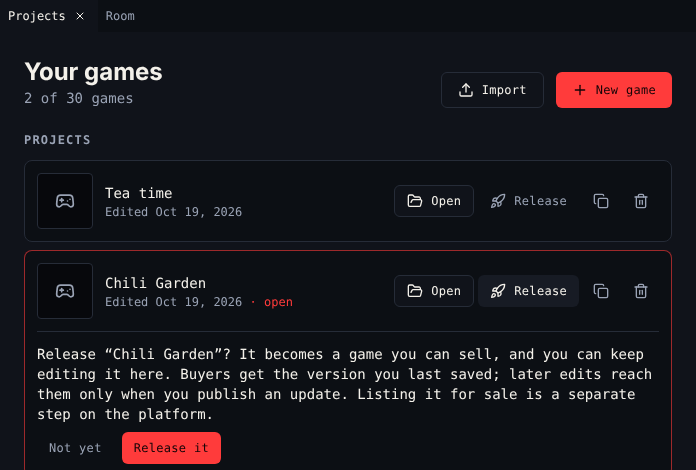
The game moves to Released, and to the My games shelf of your Library on the platform. It is not for sale yet.
List it on the marketplace
On the platform, open the My games shelf of your Library and choose List a game on the marketplace. Set a price, free or more, and publish it. Prices, fees and payouts are in List a game for sale.
Update a released game
You can keep editing a released game. Players keep the version you released until you choose Publish update on it in Projects. The top bar shows unpublished changes until you do. Each update gets the next release number.
Play it on VGC Zero
Copy the .bitsy file into the bitsy-games folder on the console's CHILICHIP drive. It shows up on the home screen. See Play on VGC Zero.
Share it
Show it in the forum or on Discord. We love seeing what people make.
You finished the tutorial. The tools pages cover everything the tutorial skipped.