Library
Library shows every tile, sprite and item in your game. Pick one, and Paint draws it, Room places it, and Dialog shows what it says.
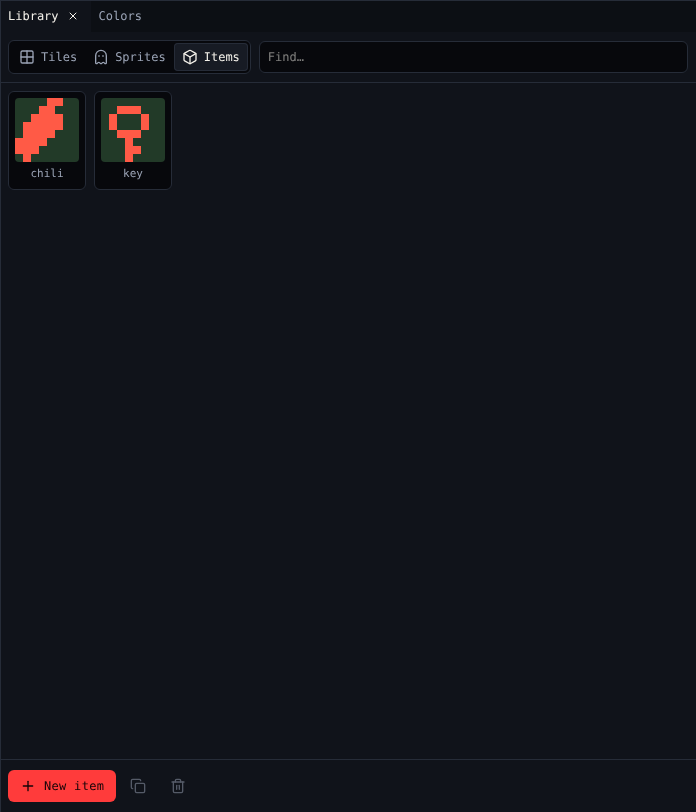
Controls
| Control | Does |
|---|---|
| Tiles, Sprites, Items | Shows one kind |
| Find… | Shows only drawings whose name has these letters, or whose id is exactly this |
| A drawing | Picks it. Hover to see its id, like ITM 0. |
| New tile, New sprite, New item | Adds an empty drawing of the kind shown and picks it |
| Duplicate | Copies the picked drawing |
| Delete | Deletes it and takes it out of every room, after asking |
The avatar (sprite A) cannot be deleted.
Ids and names
Every drawing has an id, like a for a tile or 0 for an item. Dialog scripts use ids: {item "0"} counts item 0. You never need to type them: menus show names, and blocks and Insert… write the ids. Names are for you; give everything a name you will recognise.